BetaUse case · Shorts from long videos
Shorts from your long videos: podcasts, webinars and classes, with captions and review.
If you record your podcast, your webinars or your classes on video, CLAQON suggests the moments that stand on their own, turns them vertical, adds karaoke captions and leaves them for your review. Transcription and rendering on your machine. It is in beta.
The challenge
Plenty of recorded content and not a single short published
A long recording usually hides several moments that would work on their own in vertical format. Finding them, cutting them with a good start and a good ending, reframing them and captioning them takes hours, which is why many recordings end up as a single long video.
The tools that automate this usually charge per minute processed or in credits, and ask you to upload your material to their cloud. If the short is no good, the cost has already been paid.
How CLAQON solves it
Moments chosen with criteria, local editing and review
- Shorts from a long video Beta
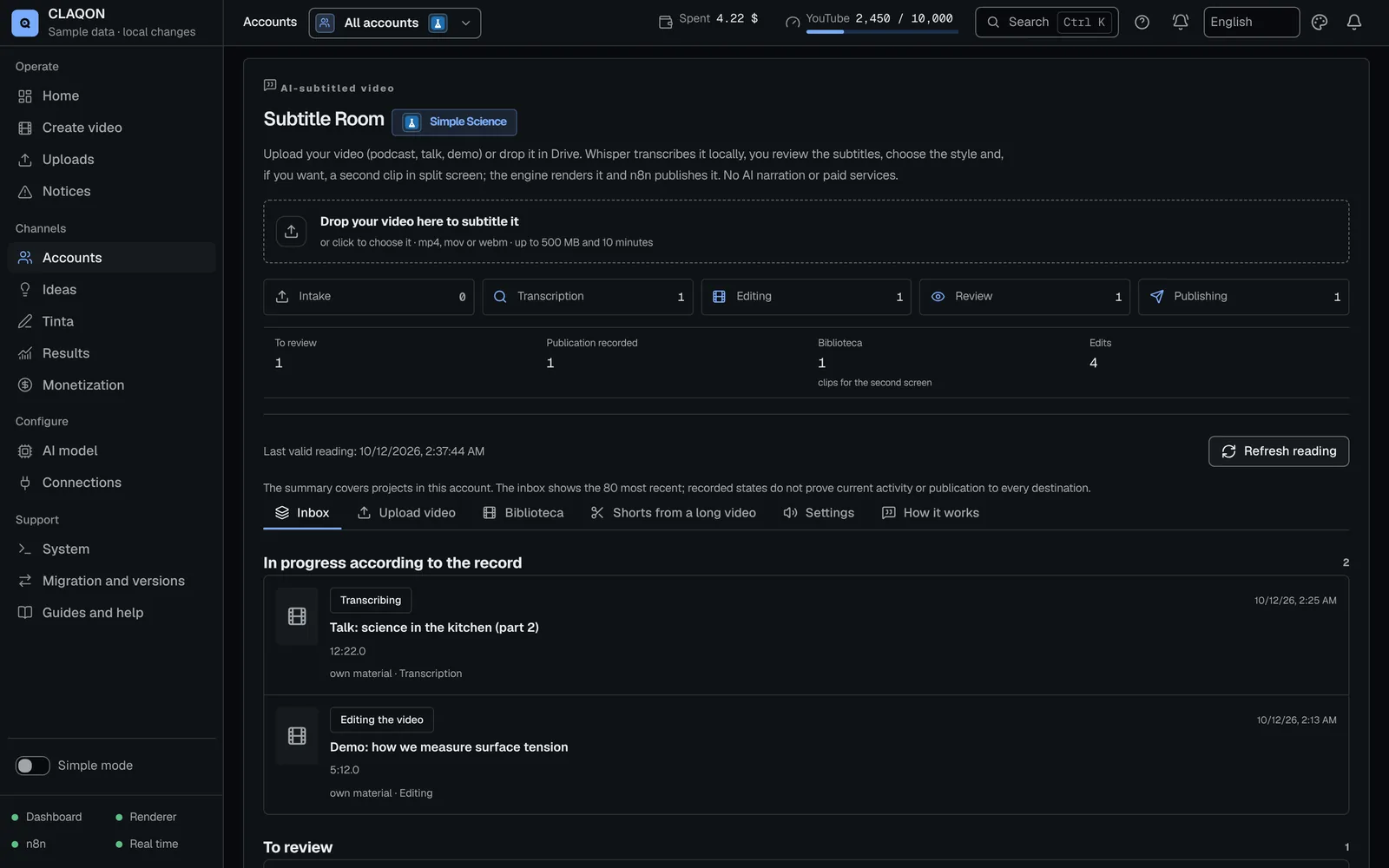
- In the Subtitle Room you choose a video from the account’s library and ask for 3 to 10 shorts (5 by default), with a minimum length of 10 to 60 seconds and a maximum of 20 to 90.
- Transcription on your machine
- The recording is transcribed locally, with the timing of each word, without sending the audio to an external service.
- Moments, explained
- The account’s AI model suggests moments that open with a hook and end with a close, and scores each one out of 20 on four criteria: hook, close, self-containment and value. You see the score and its explanation.
- Vertical, with captions
- Each short is converted to 9:16 by cropping, by fitting or with a blurred background, or with the account’s zone-based framing, and carries dynamic captions that follow the voice word by word.
- Everything is left for review
- Each short is a project in the Room that waits for your review. The long video is left untouched and nothing is launched unless you ask for it.
- Audio for social platforms Off by default
- Per project, you can normalise loudness for social platforms (−14 LUFS) and reduce background noise.
A typical workflow
From a webinar recording to five shorts awaiting review
An example of the process. The steps are the feature’s own; you choose the quantities and the framing.
You upload the recording
You add it to the account’s library from the browser or import it from Google Drive. It is normalised and duplicates are detected.
You ask for the shorts
For example, 5 shorts of between 15 and 60 seconds, with a vertical crop or with your framing zones.
CLAQON suggests the moments
It transcribes locally, takes shot changes into account, and the AI model chooses the moments with their score out of 20.
You review each short
You open each project in the Room: captions, framing, title and description. You correct whatever is needed.
You publish the ones you are happy with
What you approve goes out through the Room’s publishing flow on the account’s platforms. X is left out, for now.
What you control
You choose what gets cut and what gets published
- The source long video, always your own material or material you hold the rights to.
- How many shorts you ask for and their minimum and maximum length.
- The framing: crop, fit, blurred background or your zones.
- The account’s caption style.
- Which shorts you approve and which you discard.
- Full editing with the AI director, if the account has it and you ask for it (off by default).
Limits
What it does not do yet
- The library accepts videos of up to 20 minutes and 500 MB: a longer recording has to be split before you upload it.
- It does not reframe to follow the speaker’s face: the framing is fixed or follows the zones you mark.
- It does not separate speakers or enhance the voice with one click: noise reduction is basic and switched off.
- Moments are chosen based on what is said and on shot changes, not on the image or the energy of the audio.
- There is one active job per account and rendering runs on the CPU, one at a time: expect it to take a while.
- The score out of 20 ranks the moments, but it does not predict their audience.
- It does not trim silences automatically in this flow, nor does it extract moments from Twitch or Kick streams from the VOD.
Frequently asked questions
Common questions about shorts
How long can the long video be?
Up to 20 minutes and 500 MB, which is the limit of the account’s library. In addition, the speech has to be enough for at least three shorts of the minimum length you ask for. If your recording is longer, split it first.
How much does it cost to get the shorts?
Transcription and rendering are done on your machine, with no per-video cost. To choose the moments, CLAQON uses the account’s AI model, which you pay your provider for with your key, or a local model. Full editing with the AI director is optional and has its own daily cap.
Does it reframe to follow the speaker’s face?
No. You can crop to vertical, fit the whole video, fit it over a blurred background or stack up to 4 zones that you mark on a reference frame. Automatic reframing by face or by speaker does not exist today.
Are they published automatically?
No. Each short stays in review and you approve it. Shorts are not published to X for now.
Can I caption the whole video without cutting it?
Yes. The Subtitle Room transcribes locally, burns in karaoke captions in the account’s style and, if you wish, adds a second clip in split screen. It does not use paid AI. It is in beta. See captions and shorts.
Early access
Try the shorts with your own recordings
If you record podcasts, webinars or classes, tell us how much material you have and where you publish. It is the feature we most want to verify with real material.