AI models
AI models: choose the one that writes your scripts, with no provider lock-in
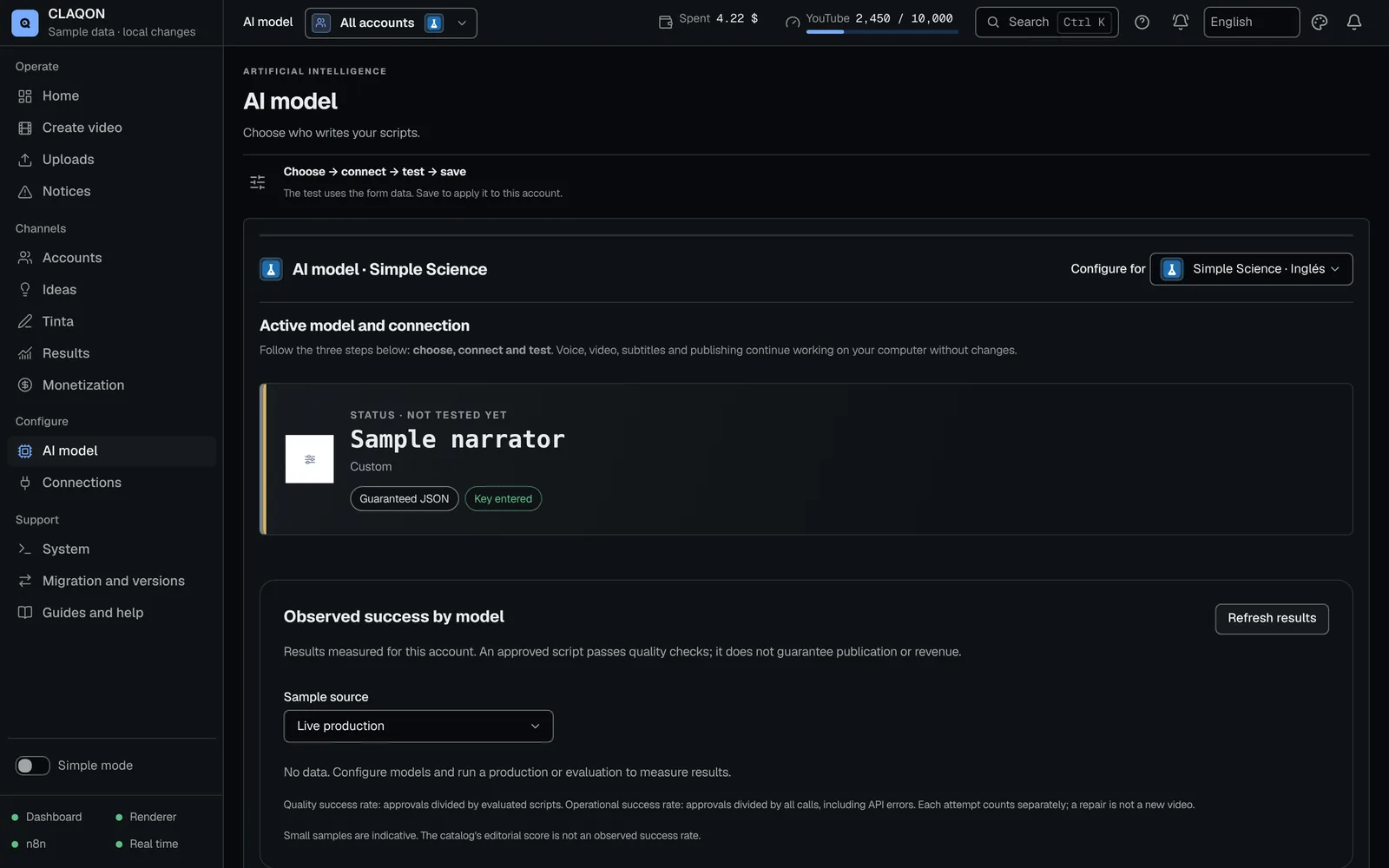
In CLAQON, you choose the AI model that writes scripts, titles and ideas: one of the 10 preconfigured providers (including a local model with Ollama or LM Studio) or any compatible endpoint. You pay each provider with your own key, and the quality check, not the model, decides which script moves on.
- No provider chosen by default
- A local model with no per-call cost
- Alternatives and a fallback if one fails
Providers
The AI providers you can use
Ten providers come preconfigured: you pick one, paste your key and test it. If yours is not listed, “Custom” accepts any endpoint compatible with the OpenAI, Anthropic or Gemini API.
Preconfigured
- Anthropic
- Google Gemini
- OpenAI
- xAI
- Mistral AI
- DeepSeek
- Groq
- Together AI
- OpenRouter
- Ollama or LM Studio, running locally
And also
- Compatible endpoint
What it solves
Why not tie yourself to a single AI model?
Models change price, are retired or get overloaded, and the one that writes best for one niche is not necessarily the right one for another. If your tool ties you to one, every change the provider makes becomes your problem.
What is more, the text model is usually a small fraction of the cost of a short. The real saving lies in fewer revisions and fewer factual errors, so it makes sense to measure the cost per approved script rather than per million tokens. CLAQON lets you switch models and compare them with your own data.
How it works
Choose, test and have a fallback ready
Pick an entry
In the comparison catalogue you click “Use this model”: the provider, the model, the format and the API address are filled in at once.
Paste your key
Each provider links to the exact page where you get one. You can add several keys from the same provider to spread the spend.
Click “Test connection”
A minimal real call tells you whether the model responds, with its format and its response time, or the exact reason for the failure: invalid key, non-existent model or no quota.
Set up the fallback
A main model, up to 4 ordered alternatives and a fallback model, with a limit of 2 to 5 attempts per script.
Compare with your data
For each model, the panel shows the “Quality success rate” and the “Operational success rate”, with their denominators, so that you decide based on what happens in your accounts.
Capabilities
What choosing a model includes
- Comparison catalogue
- 20 entries with each model’s cost per video and per script. The narrative quality score, from 0 to 10, only appears if the reference study scored it, and it is not an official benchmark. Prices checked on 8 October 2026.
- Three JSON levels
- “Enforced schema”, “Guaranteed JSON” or “Instruction-based JSON” with repair, depending on what the provider’s API allows. The video comes out with all three; what changes is how many retries are needed.
- Script recovery
- Main, up to 4 alternatives and a fallback, from 2 to 5 attempts (3 by default). An API error moves on to the next model; a quality rejection is first repaired with the same one.
- Several keys per provider
- They rotate towards the one with the most headroom and show the percentage used of each one.
- Local model
- With Ollama or LM Studio, on your own machine, there is no cost per call to the model.
- Retired names
- If a provider retires a model name, the panel detects it and offers you the replacement in one click.
- Metrics per model
- “Quality success rate”, “Operational success rate” and first attempt versus repair, per account, always with denominators. “No data” does not mean 0%.
- Signed live catalogue Beta
- An updated model catalogue that is reviewed and signed before it reaches your panel.
Limits
Limits of AI models in CLAQON
- CLAQON does not include a model of its own: you need a provider’s key or a local model with Ollama or LM Studio.
- The quality of a local model for writing scripts has not been measured.
- The catalogue’s quality score is a summary of a study, not an official benchmark, and not every model has one.
- Alternatives use the account’s connection: to mix providers in the same list, set up a connection that serves all of them, such as OpenRouter.
- Catalogue prices are checked by hand on each provider’s pages and may change.
Frequently asked questions
Questions about AI models
Which AI model does CLAQON use by default?
None. When you create an account, the model shows as “Not selected yet” and you decide. The comparison catalogue helps you with each entry’s cost per video and per script and, where one exists, a narrative quality score.
Can I use a local model without paying per call?
Yes, with Ollama or LM Studio on your machine. There is no per-call cost, although its quality for scripts has not been measured: test it with “Test connection” and look at its metrics before trusting it with an account.
Can I use a model that is not on the list?
Yes. With “Custom” you enter the provider, the model, the address and the key: any endpoint compatible with the OpenAI, Anthropic or Gemini API will work.
What happens if the provider fails or is overloaded?
An API error moves on to the next model on your list, in order: main, alternatives and fallback. If the attempts run out, the piece stops: no generic template goes out in its place.
How much does the AI model cost per video?
It is usually a small part of the spend: between the cheapest and the most expensive script in the catalogue there are a few cents per piece. Each entry shows its cost per video and per script. See spend control.
Early access
Use the AI model you already know
Tell us which provider you use today, or whether you would rather use a local model. We will tell you how it fits into CLAQON.