Multi-account and profiles
Multi-account: several channels in one installation, each with its own profile
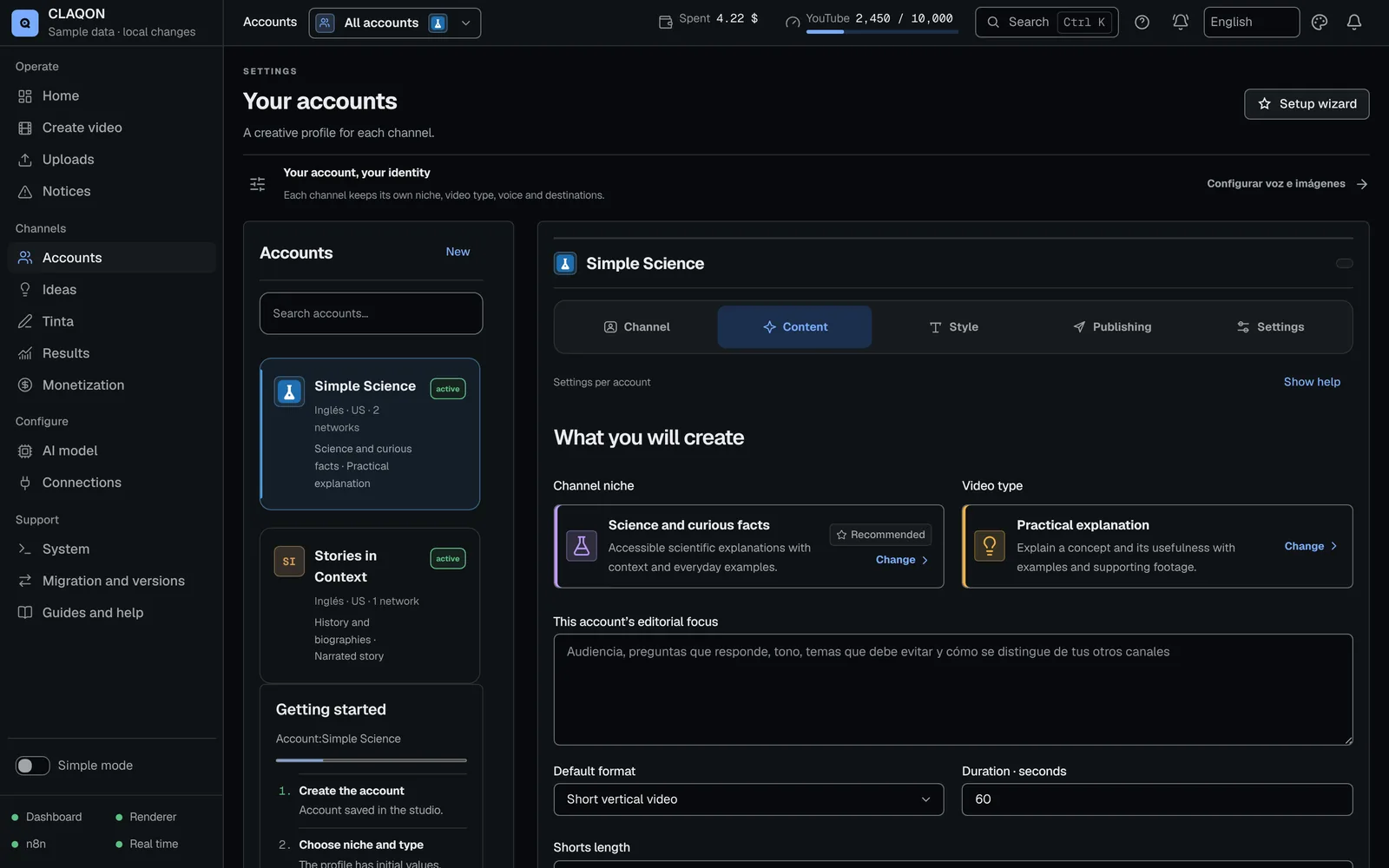
CLAQON is multi-account: you manage several channels – accounts – from a single installation. Each account has its own workflow and webhook, content profile, market and slots, budget and connections, without mixing with the others. And the panel can carry your name with the white label, in beta.
- A dedicated workflow per account
- 12 markets with local slots
- Panel in Spanish, English and Portuguese
What it solves
Several channels without mixing voices, keys or budgets
Running several channels with separate tools usually ends in shared keys, voices repeated from one channel to the next and spending you cannot attribute to the right channel.
In CLAQON each channel is an account with its own profile, calendar and limits. A connection only serves the accounts you authorise, and each account’s spending, voices and assets are kept separate.
How it works
How a new channel is added
Open the guided setup assistant
Six steps: name, language, country and topic; the AI model, with a test that it responds; Pexels; Tavily, optional; format; and platforms. It saves at every step.
Define the content profile
Niche, video type, format, length, goal, call to action and editorial angle.
Choose the market
Time zone, language, form of address, slots per platform and your audience’s strongest days.
Connect platforms and keys
Each connection is authorised for the accounts you choose. When you save, CLAQON creates the account’s workflow in n8n.
Check the getting-started status
“Getting started” reviews what has been done, with evidence, and tells you what is missing.
Capabilities
Accounts, profiles, markets and languages
- Several accounts per installation
- Each with its workflow in n8n, its own webhook and a staggered schedule so they do not overlap. The code sets no maximum number of accounts.
- Isolation between accounts
- Separate voices, assets and budgets. A provider connection only serves the accounts you authorise.
- Identity per account
- Its own logo (up to 128 KB) and colour, visible throughout the panel.
- Content profile
- 10 niches (one of them custom), 13 video types, 3 formats and 4 goals, with a call to action and an editorial angle.
- Formats
- Short vertical video of 30 to 180 seconds, long horizontal video of 4 to 12 minutes, and text post.
- Goals
- Grow your audience, affiliate marketing, sell your own product or attract sponsorships. They guide the script; they are not an income forecast.
- 12 markets
- United States, Spain, Mexico, Argentina, Colombia, Chile, Latin America, Brazil, United Kingdom, France, Germany and Italy.
- Panel languages
- Spanish, English and European Portuguese, without sending text to translation services. Each account’s content language is independent.
- Setup assistant and getting started
- Guided set-up in six steps and a check of what has been done, with evidence.
- White label Beta
- On first start-up you put your name in the panel’s title and header. The symbol stays the same.
- Four themes
- Light, black, blue and purple, with an accent colour of your own.
Content profile
Available niches and video types
10 niches
- AI and automation
- Technology and software
- Finance and business
- Science and curious facts
- History and biographies
- Education and learning
- Productivity and habits
- Mystery and historical research
- Lifestyle influencer
- Custom niche
13 video types
Practical explanation, step-by-step guide, criteria-based comparison, case study, annotated list and narrated story, in the factory.
In addition, seven types with their own workflow: commentary videos, captioned video, video made in the studio, Twitch clips, Kick clips, direct publishing from Drive and AI characters. Several are in beta.
Limits
Limits worth knowing about
- There is a single user per installation: no roles, teams or real-time collaboration.
- All accounts share the same machine: rendering runs on the CPU, one video at a time.
- Changing an account’s content profile discards its pending ideas.
- The white label changes the name, not the symbol, and it is in beta.
- To publish on clients’ channels, your Google and Meta apps need to pass their verifications.
- The machine has to be switched on during each account’s slots.
Frequently asked questions
Questions about running several channels
How many channels can I run in one installation?
The code sets no maximum. The practical limit is set by your machine: all accounts share the render queue, which edits one video at a time, and each one produces in its own slots, up to 4 a day.
Can I give my team or a client access?
Not today. Each installation has a single user with a password, with no roles or per-account permissions. If you work for several clients, tell us about your case in the early access programme.
Can each channel publish in a different language?
Yes. The content language is set in each account’s profile and does not depend on the panel language, which can be Spanish, English or Portuguese.
What does the white label change?
The name that appears in the page titles and in the panel header. The symbol stays the same and the internal identifiers do not change. It is in beta.
Are budgets or keys mixed between channels?
No. Each account has its own budget and caps, and a provider connection only serves the accounts you authorise. See spend control.
Early access
Run all your channels from one installation
Tell us how many channels you run, and in which markets and languages. We will tell you how they would be organised in CLAQON and which limits affect you.