Shorts factory
Shorts factory: from idea to published video, in 18 stages
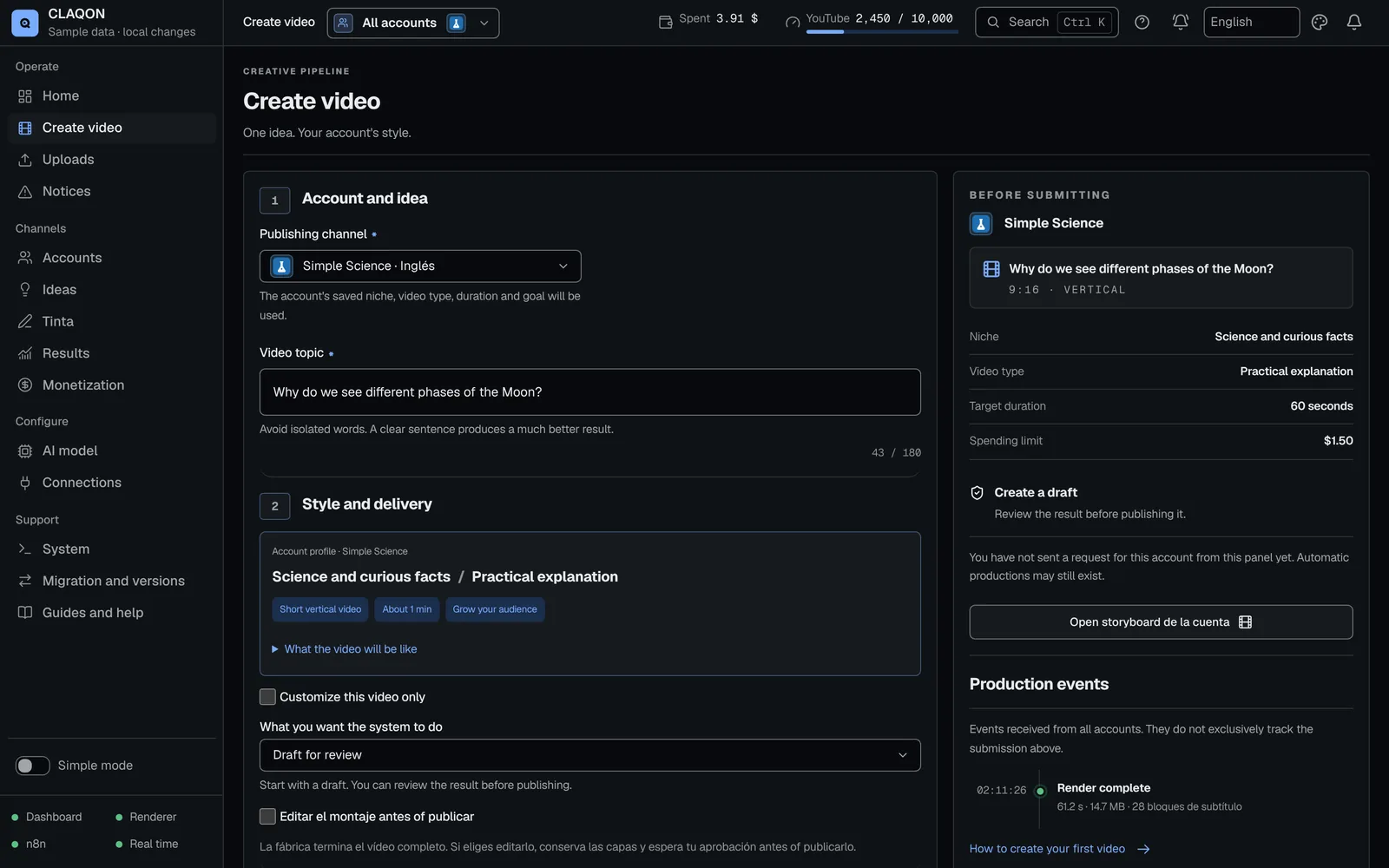
The CLAQON shorts factory produces informational vertical shorts for each of your accounts: it researches with sources, checks every figure, writes, narrates, edits and publishes in the account’s slots. If a stage fails, the piece stops before spending on the next one and the panel tells you why.
- Researches and verifies before writing
- A spend cap on every video
- Produces in each account’s slots
What it solves
Publish every day without doing it all by hand or losing rigour
An informational short requires finding sources, writing a script that holds up, narrating it, choosing shots, editing it and uploading it to each platform. By hand, that is a lot of tasks per piece; with a button that generates everything, the result tends to be generic, and platforms penalise mass-produced content that adds nothing.
The factory follows the same path for every piece: evidence first, then the script and, only if it passes the check, the voice, the visuals and the edit. Every expensive step has its own budget gate.
How it works
The 18 stages of the shorts factory
Each account produces along this path, grouped into six phases.
Plan
What to produce next and with which profile.
Trigger
In the account’s slots (up to 4 a day, at least 90 minutes apart), through its webhook or with “Create video” in the panel.
Claim idea
Takes the next idea from the account’s queue and avoids duplicates.
Resolve profile
Niche, type, format, length, market, language and destinations, with a key that prevents the same piece from being produced twice.
Research
Evidence comes before writing.
Reserve keys
Picks the API key with the most headroom and pauses keys that are rejected or out of quota.
Research
Citable sources with Tavily, or your own URLs with no search cost.
Verify claims
Only accepts verbatim excerpts from the source that are on topic. Anything rejected cannot be cited.
Score the opportunity
A deterministic score that penalises “easy money”, casino or betting angles. It passes at 60 or above.
Write
The AI model writes; the deterministic check decides.
Script and creative
Scenes, hook, titles and descriptions, with a main model, up to 4 alternatives and 2 to 5 attempts.
HARD QC
The script moves on at 100/100. If it fails, a targeted repair runs and, if that is not enough, human review before anything is spent on voice or visuals.
Produce
Voice, scenes and editing, on your machine.
Voice
Piper or Kokoro running locally, with each word’s timing for the captions. ElevenLabs, if you enable it.
Scenes
A scene-by-scene plan with the real timing of the narration.
Key shotsOff by default
In hybrid mode, 1 to 8 key scenes get an AI video clip.
Stock clips
Licensed vertical stock, filtered and scored, without repeating anything the account used in the last 45 days.
Render
FFmpeg on your machine, on the CPU, with dynamic captions, music chosen by tone and effects.
Publish
It goes out in its slot and is logged.
Publish
YouTube (Shorts and long-form), Instagram Reels, Facebook Reels and X. On X and Instagram, the format is checked before uploading.
Log
Each job’s reservation, outcome, reason and costs, in an idempotent log.
Notification
On Slack if you connect it, and via Telegram or signed webhooks if you enable them.
Learn
What is published feeds what comes next.
Analytics and learning
Every day at 09:00: YouTube metrics, the account’s learning, long-form video candidates and new ideas.
Launch modes
Three ways to launch a production
As well as producing on its own in its slots, each account accepts manual productions from the panel.
Check configuration
Validates the workflow without generating a video: it does not spend on APIs or publish.
Create a draft
Produces the voice, the clips and the video, but does not publish. You review the result before deciding.
Create and publish
Produces and publishes to the account’s destinations, with prior confirmation.
Capabilities
What else the shorts factory does
- Formats and lengths
- Vertical short from 30 to 180 seconds (60 by default) and horizontal long-form from 240 to 720 seconds (600 by default).
- Long-form video and promotion to long-form Beta
- A short with at least 5,000 views, an average percentage viewed of 45% and 72 hours since publication can lead to a long-form video for YouTube only; it can also be launched by hand. The monthly spend cap stops the promotion.
- Automatic editing
- Cut plan, effects, music by tone and a visual look by niche, with a hook card from the first frame and captions in blocks of 2 or 3 words.
- AI edit director Off by default
- Light, medium and high levels for emphasis, effects, transitions and inserts. A cap of 25 calls and 0.05 USD a day per account; if it fails, the usual edit goes out.
- Translated captions on YouTube
- Original track and 6 translations, with localised title and description. Whatever does not fit in the day’s quota is postponed to the next day.
- Recovery without repeat spending
- Reuses sources for 24 hours, asks for permission before researching again and never retries an uncertain publication on its own.
- Manual publishing of an edit
- A finished edit is published from “Productions and storyboard”, with confirmation and separate acceptance of the X cost.
- Stop the whole account
- Stops, checks and reactivates an account, with a confirmation that names the account. It keeps finished work, the history and the costs.
Limits
Factory limits worth knowing
- Rendering runs on the CPU of your machine: one video at a time by default, with a limit of 2 hours per render.
- It only produces while the machine you install it on is switched on.
- It does not publish to TikTok: that is disabled until the app has been audited.
- Without the YouTube API audit on your Google project, YouTube keeps videos uploaded through the API private. CLAQON detects this and alerts you, but it does not prevent it.
- In automatic mode, the factory publishes whatever passes the checks. The approval queue does not yet publish what is approved: to review first, create drafts and publish by hand.
- You need your own keys: an AI model (or a local one), Pexels and, if you do not provide your own sources, Tavily.
Frequently asked questions
Questions about the shorts factory
Can I review a video before it is published?
Yes. “Create a draft” produces the video without publishing it, and a finished edit whose final check has been approved is published by hand, with confirmation. What is produced automatically in the slots is published if it passes the checks.
What happens if a stage fails halfway through production?
The piece stops before spending on the next stage, and the diagnosis explains the reason with one of its 65 documented causes. See how each script is verified.
Do I have to leave the computer switched on?
Yes: the factory only produces while the machine is on. Slots are brought forward if it is going to be off, and you can also install it on a server in your name.
Can I produce long videos?
Yes, horizontal ones from 240 to 720 seconds, in beta. A short that exceeds the thresholds can also lead to a long-form video on the same topic, for YouTube only.
How many accounts fit in one installation?
Several, each with its own workflow, schedule, connections and budget. Rendering happens one video at a time, so productions wait their turn. See multi-account.
Early access
Put the shorts factory to work on your channels
Tell us which channels you run and how you produce today. We will tell you whether CLAQON fits and what you would need to get started.